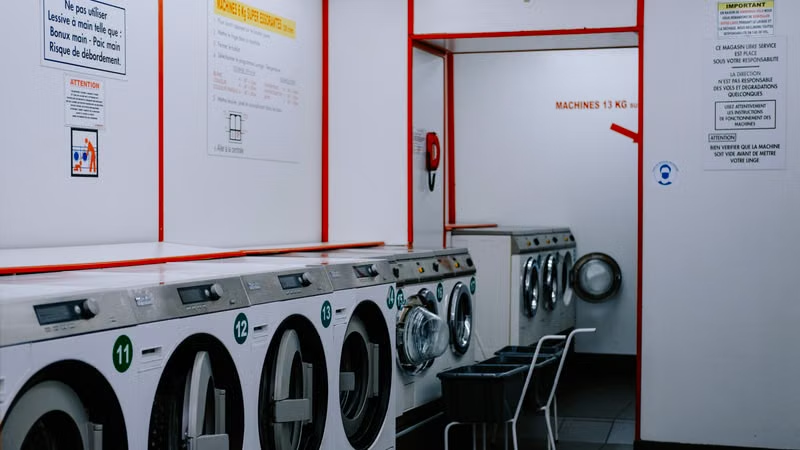
Modern washing machines are marvels of convenience, but they often rely on sensitive sensor systems to maintain operational safety. When a Samsung washer displays a 5C or 5E error code, it serves as a digital distress signal indicating that the machine is struggling to discharge water efficiently. This issue is almost exclusively related to the drainage system, which is frequently compromised by debris, lint, or small objects that find their way into the pump housing during the wash cycle.
Addressing this error does not necessarily require a professional technician. In the vast majority of cases, the blockage is located within the debris filter, a component designed specifically to catch foreign objects before they enter the pump mechanism. By following a structured maintenance routine, you can restore your machine to full functionality, save on unnecessary repair costs, and extend the lifespan of your appliance by ensuring the pump operates without excessive strain.
Understanding the 5C and 5E Error Codes
What Triggers These Drainage Alerts?
The 5C and 5E codes are functionally identical in the Samsung ecosystem, both pointing toward a drainage failure. When the control board sends a command to the pump to evacuate water, it monitors the water level sensor. If the water level does not drop below a specific threshold within a predetermined timeframe, the system halts the operation to prevent flooding or potential damage to the pump motor. This safety mechanism is triggered when the path from the drum to the drain hose is obstructed.
Common culprits include coins, hairpins, buttons, or excess laundry detergent residue that has congealed over time. Furthermore, if the drain hose itself is kinked, installed too high, or clogged with lint, the pump will struggle to move water effectively. Understanding that the machine is essentially telling you there is a blockage allows you to focus your troubleshooting efforts on the physical pathways of the water rather than the electronic control board.
The Difference Between Error Codes and System Failures
It is important to distinguish between a temporary obstruction and a permanent hardware failure. If you clear the filter and the error persists immediately, the issue may lie with the pump motor itself, which may have burnt out due to prolonged resistance caused by the initial clog. However, before assuming the worst, one must ensure the filter is completely clear and that the impeller, the small propeller-like component inside the pump housing, can spin freely without interference.
Preparation Before Cleaning the Filter
Gathering Necessary Tools and Safety Gear
Before you begin the physical process of cleaning the drain pump filter, prepare your workspace to handle a significant amount of water. Even if the machine displays an error, there is likely a large volume of water trapped inside the drum. You will need a shallow tray or a baking sheet to slide under the front of the machine, a few thick towels to soak up potential spills, and a small container to catch the initial flow of water.
Safety is paramount when dealing with appliances that involve electricity and water. Always disconnect the power supply from the wall outlet before opening any internal components. While the risk of shock is low if the machine is off, it is a standard best practice. Ensure the area is well-lit so you can inspect the pump housing clearly once the cover is removed.
Managing Residual Water in the Drum
The most challenging part of this process is dealing with the standing water. Most Samsung front-load washers feature a small, thin emergency drain hose located next to the main pump filter access door. This hose is designed to let you gravity-drain the water into a low-profile container before you unscrew the main filter cap. This prevents a massive flood on your laundry room floor and makes the subsequent cleaning process much easier.
Step-by-Step Guide to Unclogging the Pump
Accessing and Removing the Filter
Locate the small square or rectangular door on the bottom right front of your washing machine. Use a flat-head screwdriver or a coin to gently pry it open if it does not have a latch. Once open, you will see the black emergency drain hose and the larger circular filter cap. Start by pulling out the emergency hose, removing its plug, and draining as much water as possible into your container.
After the water flow stops, place a towel underneath the filter area. Turn the circular filter cap counter-clockwise. It may be tight due to mineral buildup or the pressure of the remaining water. As you loosen it, expect a small amount of residual water to escape. Continue turning until the filter pulls out completely. Do not force it if it feels stuck; wiggle it gently to loosen any debris that might be wedged between the filter threads and the housing.
Cleaning the Filter and Inspecting the Impeller
Once removed, rinse the filter under a hot tap to remove lint, slime, and debris. Use an old toothbrush to scrub the mesh and the threads. Inspect the cavity inside the machine where the filter was seated. Use a flashlight to look into the hole; you should see the pump impeller at the back. Try to rotate it with your finger—it should spin with slight resistance but without catching on anything.
| Common Debris | Impact on Pump | Action Required |
|---|---|---|
| Coins/Buttons | Can jam the impeller | Remove manually |
| Lint/Hair | Reduces water flow | Rinse thoroughly |
| Detergent Gunk | Creates sticky residue | Hot water scrub |
Advanced Troubleshooting and Hose Inspection
Verifying the Drain Hose Connection
If the filter is clean but the 5C/5E code remains, the blockage might be located further down the line in the corrugated drain hose. Check the connection point where the hose meets your household standpipe or sink drain. Ensure the hose is not pushed too far into the standpipe, as this can create a siphon effect or prevent proper airflow, leading to drainage issues.
Additionally, check the hose for kinks. If the washer was moved recently, the hose may have been crushed against the wall. A kinked hose restricts the volume of water the pump can move, effectively simulating a blockage even if the filter is clear. Ensure the hose has a gentle, unobstructed path to the drain.
Checking for Siphon Issues
Some drainage errors are caused by the height of the drain hose. If the hose is installed lower than the water level in the drum, water will constantly exit the machine, preventing it from reaching the necessary levels for a proper wash. Conversely, if the hose is too high, the pump may struggle to overcome the gravity required to lift the water. Samsung generally recommends the drain hose end should be between 24 and 36 inches off the floor.
Preventative Maintenance Tips
Keeping the Pump Filter Healthy
To avoid recurring 5C or 5E errors, make it a habit to clean the drain pump filter once every one to two months. This is particularly important in households that wash heavily soiled items, pet bedding, or clothes with many loose fibers. Regular cleaning ensures that the filter never becomes so packed with debris that it forces the pump motor to overheat.
Using the right amount of high-efficiency detergent is also crucial. Overdosing leads to excessive suds, which can trap lint and create a thick, glue-like sludge inside the filter housing. If you notice your clothes are often damp after a cycle, it is a sign that the drainage system is beginning to struggle, and you should perform a proactive cleaning immediately.
The Role of Maintenance Cycles
Samsung washers often include a Self-Clean or Tub Clean cycle. Running this cycle once a month with a dedicated washing machine cleaner helps dissolve the residue that accumulates in the pump housing and hoses. Keeping the interior of the machine free from buildup ensures that when the water finally reaches the pump, it is free of the particles that lead to clogs.
Conclusion
Resolving the 5C or 5E error code on your Samsung washing machine is a manageable task that primarily involves clearing obstructions from the drain pump filter. By systematically draining the residual water, removing the filter, and inspecting the pump impeller for debris, you can restore your appliance to optimal performance. Maintaining this component regularly not only prevents future error codes but also protects the pump motor from premature failure, ensuring your washer continues to operate reliably for years to come.
Frequently Asked Questions
What should I do if the filter is stuck and won't turn?
If the filter cap is stuck, it is likely due to mineral deposits or debris wedged in the threads. Try to use a thick cloth for better grip and apply steady, firm pressure. Avoid using pliers, as you might crack the plastic cap. If it still won't move, you may need to tilt the machine back carefully to access the pump from underneath, though this is a last resort.
Can I run the machine without the filter?
No, you should never run the washing machine without the filter installed. The filter prevents debris from damaging the pump impeller and keeps small objects from entering the drain system, which could lead to a flooded laundry room or permanent damage to the drainage pump.
How often should I clean the drain pump filter?
For the average household, cleaning the filter once every two months is sufficient. However, if you have pets (due to hair) or frequently wash items that shed a lot of lint, you should aim for a monthly cleaning schedule to prevent blockages.
Why does my washer still show 5C after cleaning the filter?
If the code persists, check the drain hose for kinks or blockages. If the hose is clear, the pump motor might be damaged or the sensor that detects water levels could be faulty. If you have confirmed the filter and hose are completely clear, it may be time to contact a professional technician to inspect the internal pump assembly.
References
- Samsung Support: Understanding Washer Error Codes
- Appliance Maintenance Best Practices for Front-Load Washers
- User Manual Guidelines for Samsung Laundry Systems